

Generate the embed code
1
Open the Embed URL dialog
In the Rive editor, click the hamburger menu in the top-left corner and select Generate Embed URL.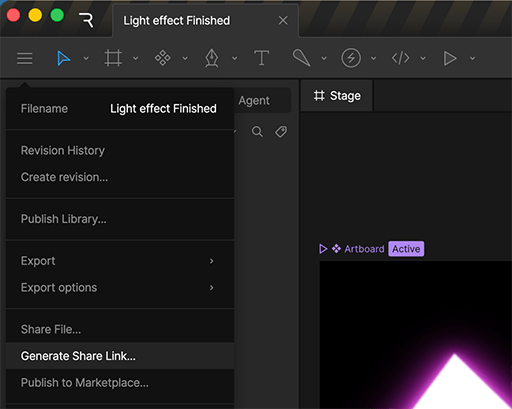
2
Generate an embed URL
In the dialog that appears, click Generate Embed URL.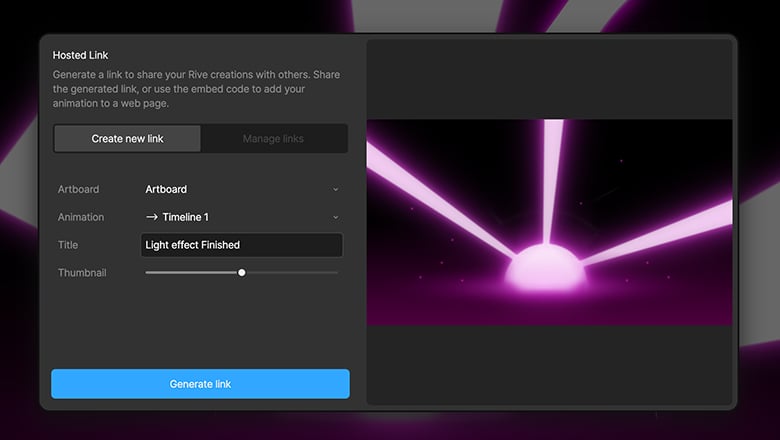
3
Choose an embed URL type
Once the URL is generated, select the option that best fits how you plan to use your file.Some platforms (like Notion) support embedding directly from an Embed link. Otherwise, use the iframe Embed code.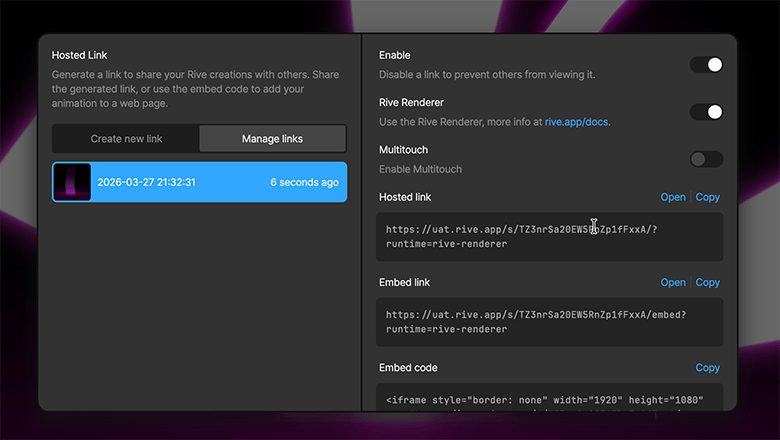
For more information about the various types of embed URLs, see Embed URLs.
Add the embed to your platform
1
Open the page, post, or project where you want to place your Rive file
2
Copy the Embed link or Embed code
3
Paste into your page, post, or project
4
Save or publish your changes